Teacher Hub for schools
The whole school's day, on the school's own server
A school's daily workflow app for teachers, management and the office. It runs on the school's server alongside SA-SAMS / SASPAC, which stay the official record.
How it fits next to SA-SAMS and SASPAC
- SA-SAMS / SASPAC stay the official record. The hub never connects to them or writes to their files. Learners, classes and contacts come in as CSV or Excel imports, and attendance and marks go out as files the office reviews and imports there.
- Official report and promotion marks are never calculated in the hub. Hub marks are informal.
- It runs on the school's server, so the school controls the data (POPIA: the school is the responsible party).
SA-SAMS / SASPAC
The official record
Class lists, learners, contacts →
← Attendance and marks, reviewed by the office
Teacher Hub
registers · homework · comments · informal marks · covers · sign-outs · doctors' notes · where is this learner now · calendar
← used every day by
The staff
teachers · the office · principal, deputy, HOD, grade head
A workspace for each role
Every rule is enforced by the server, not only by hiding buttons: a request outside your role is refused.
| Role | In the app |
|---|---|
| Teacher | Teaches subject classes; a register teacher also keeps one Class's school register |
| Principal / deputy | The whole school, read-only |
| Head of department | One subject in every grade, read-only |
| Grade head | One grade's Classes; may take and correct their school registers |
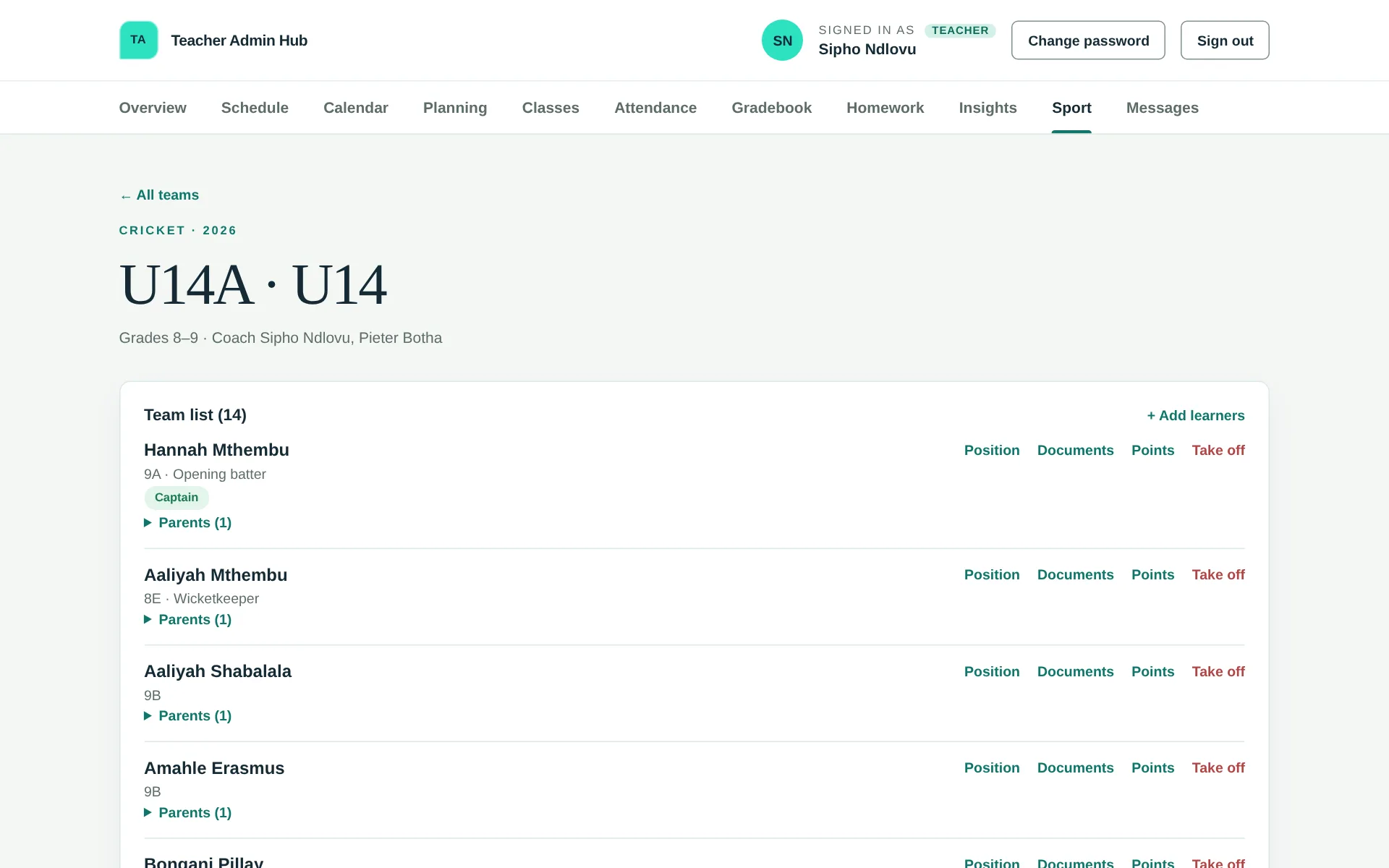
| Coach | Their teams' lists, contacts and points (an assignment to a team, not a role) |
| School office | Runs the school's day and the records; never teaches |
- Managers still teach. A manager keeps the teacher tabs for their own classes, with full rights there, and gets a Management tab for what their posts oversee.
- Each role sees the people below it. Management sees counts and class averages, never an individual learner's marks.
- The office never teaches. It gets every register class, all learner records, sign-outs, covers, bell times, calendar, accounts, imports and exports, but no lesson registers, homework, comments or marks.
- Covers are the one dated exception. A teacher covering a class gets that class's attendance only, for that date only.
Features, by area
Teaching
- Schedule: your timetable by cycle day with that date's bell times; free periods open "Cover a class".
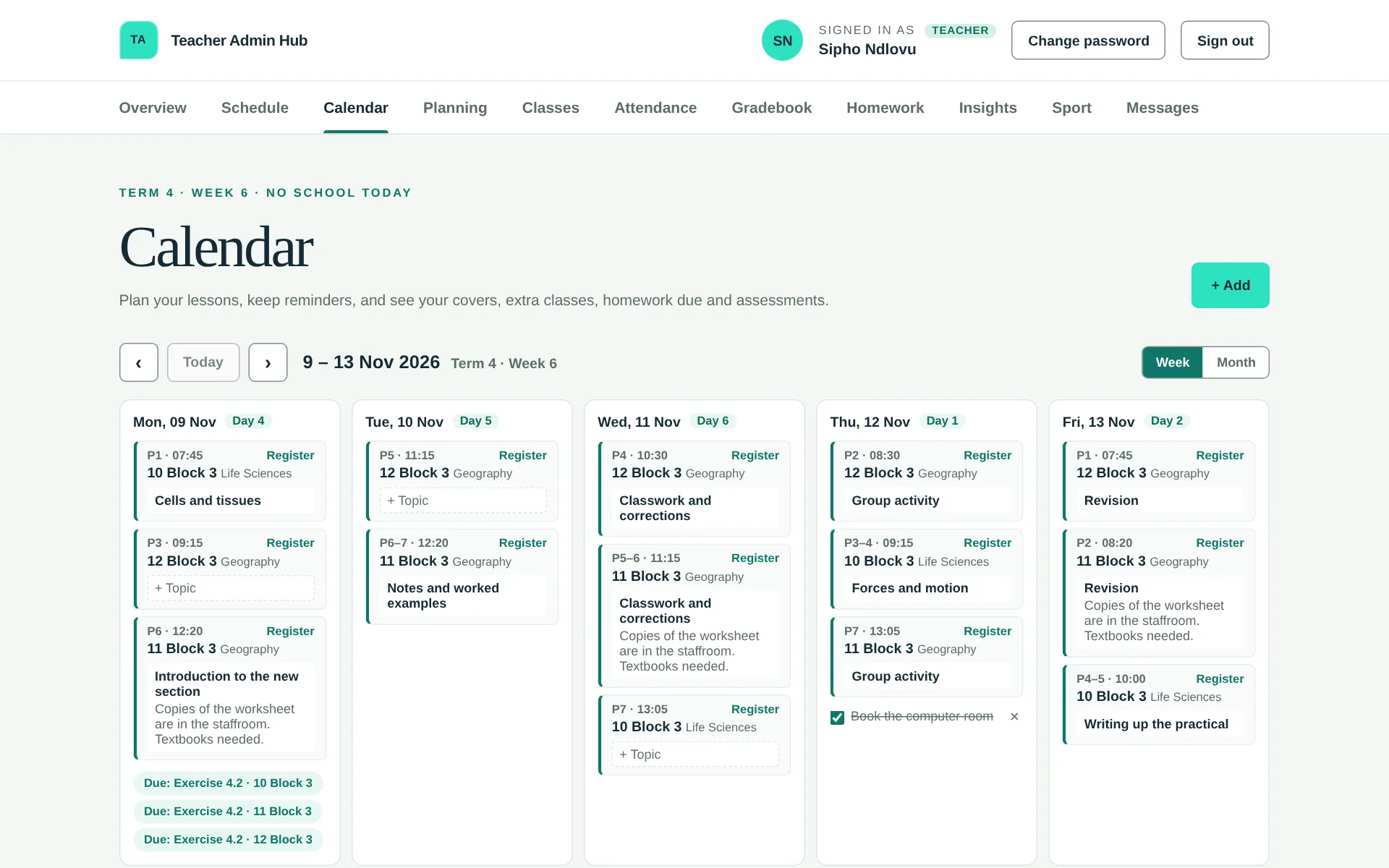
- Calendar: your week's lessons, covers and extra classes with homework due and assessments, and a month view of the school's days, holidays and events.
- Lesson registers: Present / Absent / Late / Excused, the learner's school status, anyone signed out before the lesson, and comments with tags.
- Homework for one class or a whole grade, with Done / Not done per learner.
- Gradebook: informal assessments, totals or per-question marks, class averages.
- Planning: the year by term and week, its topics on your lessons, and the CAPS and Annual Teaching Plan documents.
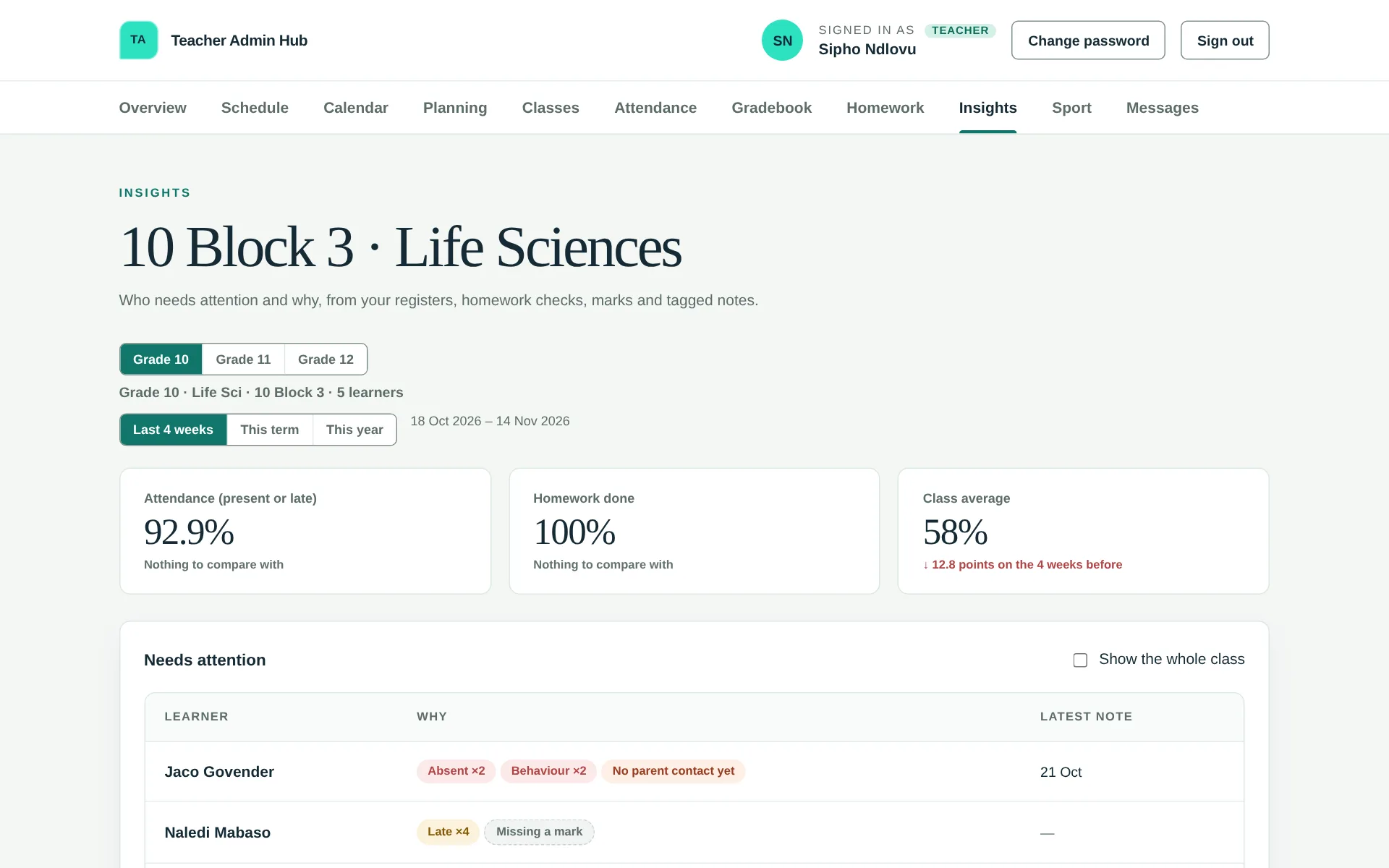
- Insights: who needs attention and why, the attendance grid with your notes, and the figures.
- Extra classes after school: learners drop in and are added when they come.
The office
- Today: the day's bell times, every school register (taken, partly, not taken), sign-outs, after-school classes.
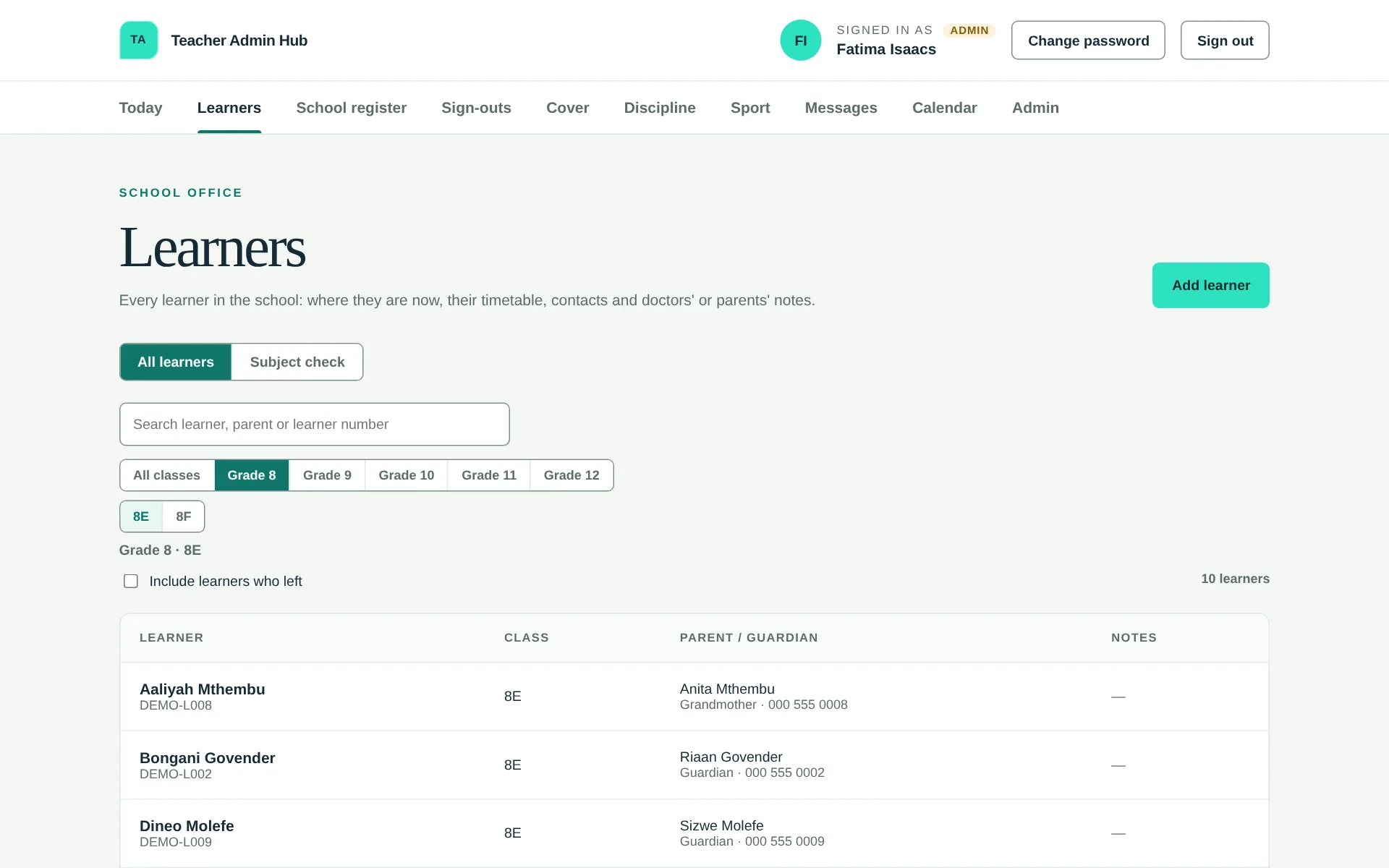
- Learners: search the whole school, and see where a learner is right now (class, subject, teacher).
- Doctors' and parents' notes: typed summaries only, with a one-line instruction for the learner's teachers ("No PE or sport") while the note is valid.
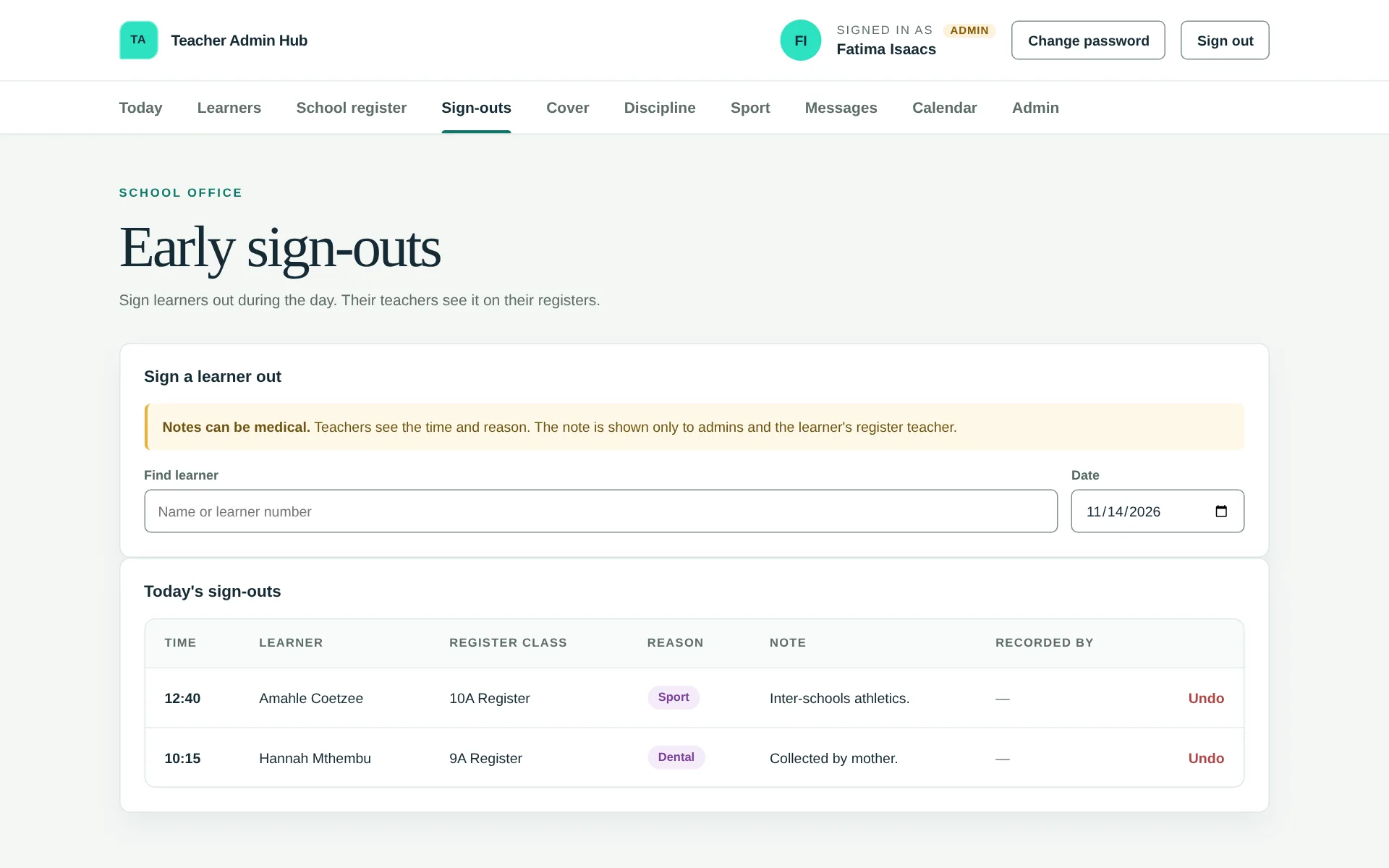
- Early sign-outs: time, reason and an optional note.
- Cover: mark staff absent, get fair suggestions, confirm.
- Calendar and bell times, with one-off changes per date.
- Admin: accounts, imports with a preview before anything changes, exports, the audit log and the privacy tools.
Management
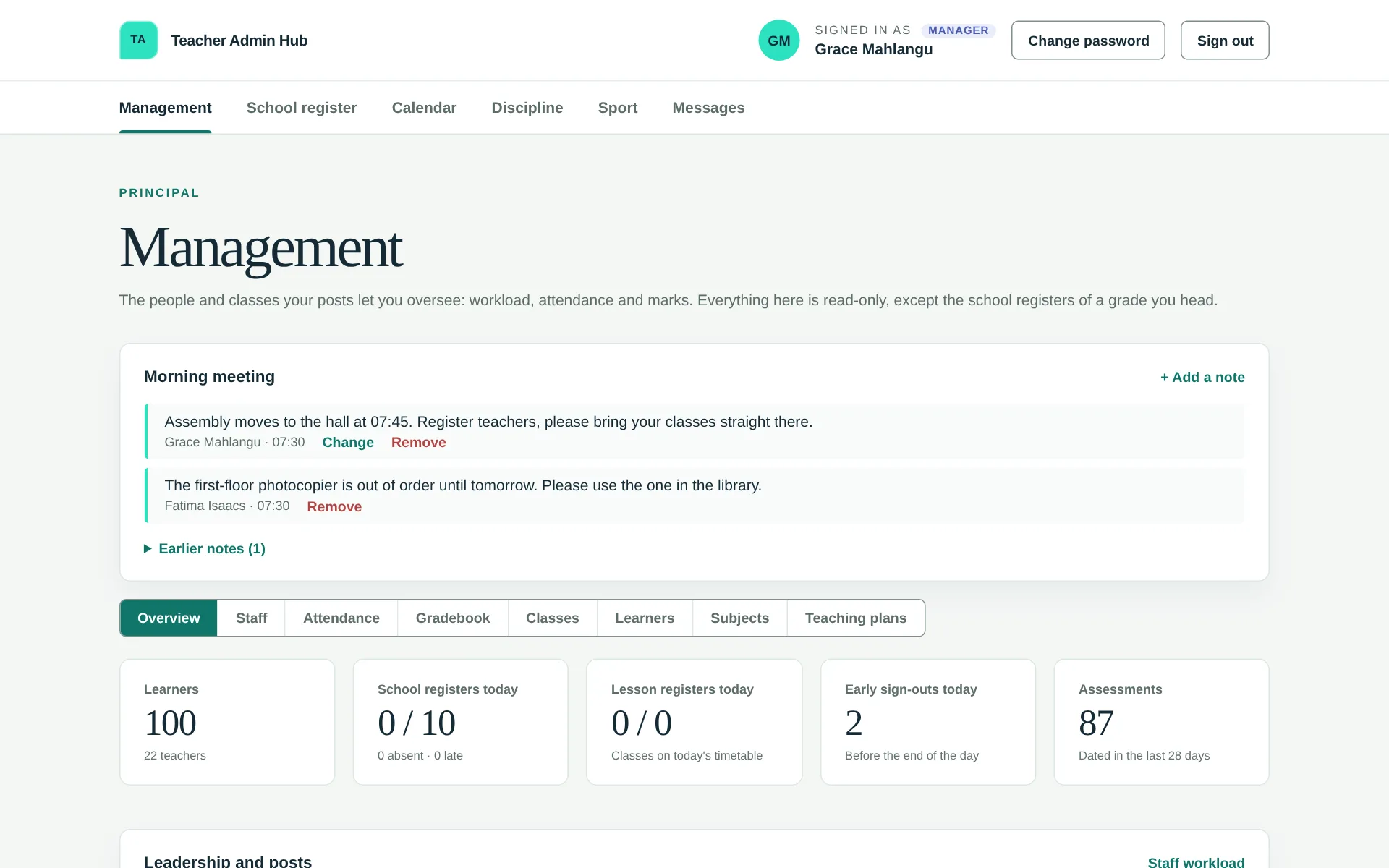
- Principal / deputy: a whole-school overview, gaps (a subject without an HOD, a grade without a head), staff with how their registers, homework and marks are going, attendance and mark averages by grade and subject.
- HOD: the subject's teachers, attendance and averages per grade and class.
- Grade head: the grade's register teachers, subject teachers, learners, attendance and averages.
- Morning meeting notes, read by everyone on the screen they start on.
Discipline, sport and parents
- Discipline points (5, 10 or 15, with a reason) and detention: who is due, the list, and its register.
- Sport: teams and coaches, practices and matches on the Calendar, squads and results, achievements and history.
- Learners' sport documents (birth certificate, medical aid card), encrypted, with every view and download recorded.
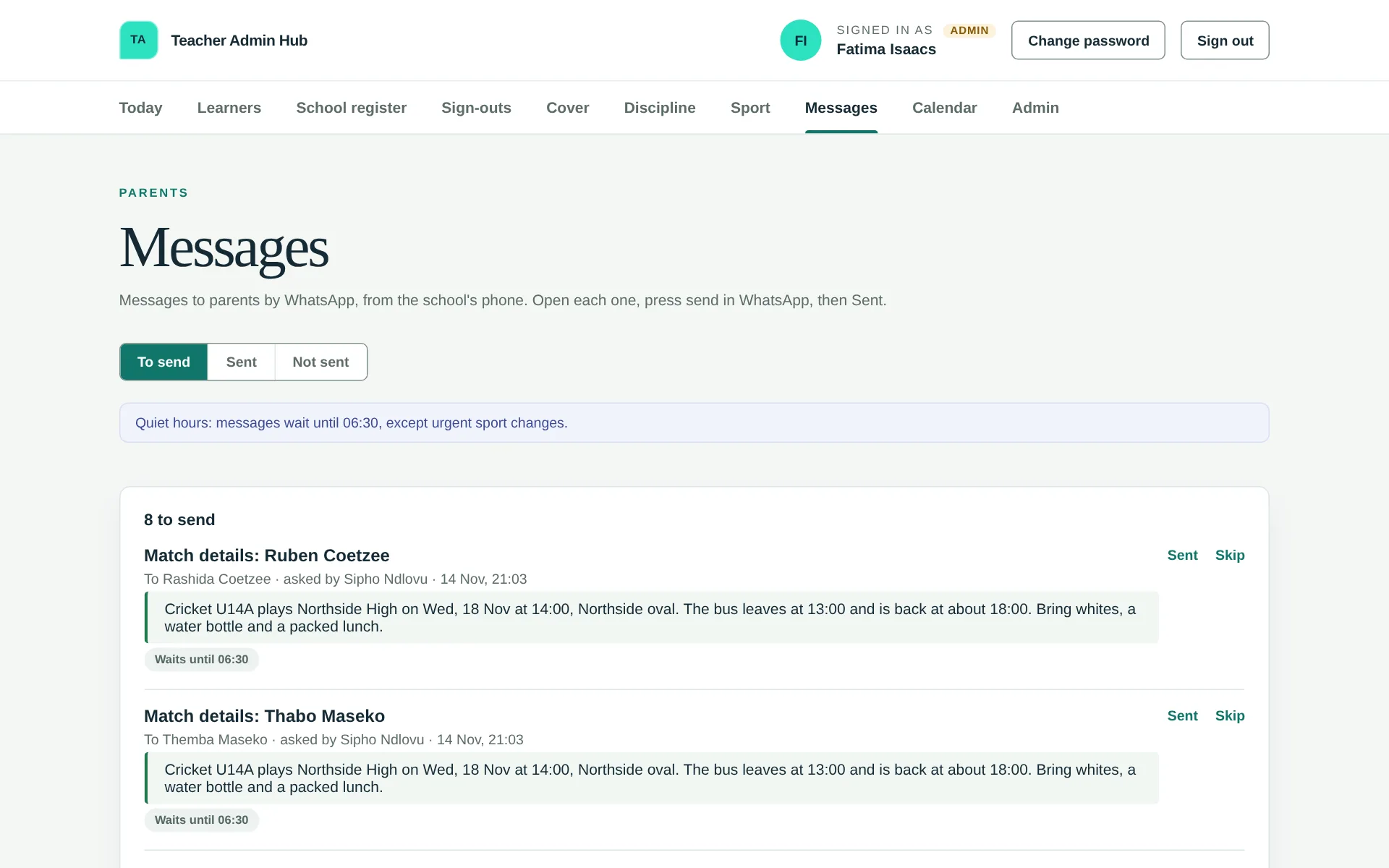
- Messages to parents by WhatsApp, from a school-owned phone, from school-approved templates; the office sends them.
See it in the demo school
Every name in these pictures is made up.
When the power goes
Print A4 registers ahead of load-shedding (names only, nothing sensitive), take them on paper, and capture them afterwards with "Taken on paper".
What the school needs
| A server | One small dedicated machine or virtual machine on the school's network: at least 2 cores, 4 GB RAM and a 64 GB SSD (4 cores, 8 GB and two mirrored SSDs recommended). Not the SASPAC / SA-SAMS PC. |
|---|---|
| Its software | Windows 10/11 Pro or Server, or Linux. PostgreSQL, Node.js and Caddy for HTTPS: all free, no licences to buy. |
| The internet | Not needed: it works on the school's network alone. The server needs the internet only for updates and, if staff need it, access from home. |
| Staff devices | Any current browser on a phone, tablet or PC; nothing to install. Wi-Fi in the classrooms is usually the real constraint. |
| Power | A UPS for the server, the switch and the Wi-Fi access points. |
| Training | About 30 minutes per role; each role sees only its own tabs. |
What it doesn't do (yet)
- It doesn't replace or connect to SASPAC, by decision: files survive changes on their side, and the office sees every change before it lands.
- No email to parents, by decision. WhatsApp is the only parent channel.
- No offline mode: if the server or network is down, teachers use the printed registers.
- No timetable editor yet: the office loads the timetable by import.
- Period-by-period attendance: one lesson register per class per day.