For South African high schools

The daily workflow layer next to SA-SAMS and SASPAC

Teachers spend their day on registers, homework checks, comments and informal marks, and the office on knowing where learners are, who signed out and who is covering for whom. SA-SAMS and SASPAC hold the official record, but they aren't built for that daily flow. Teacher Hub is.

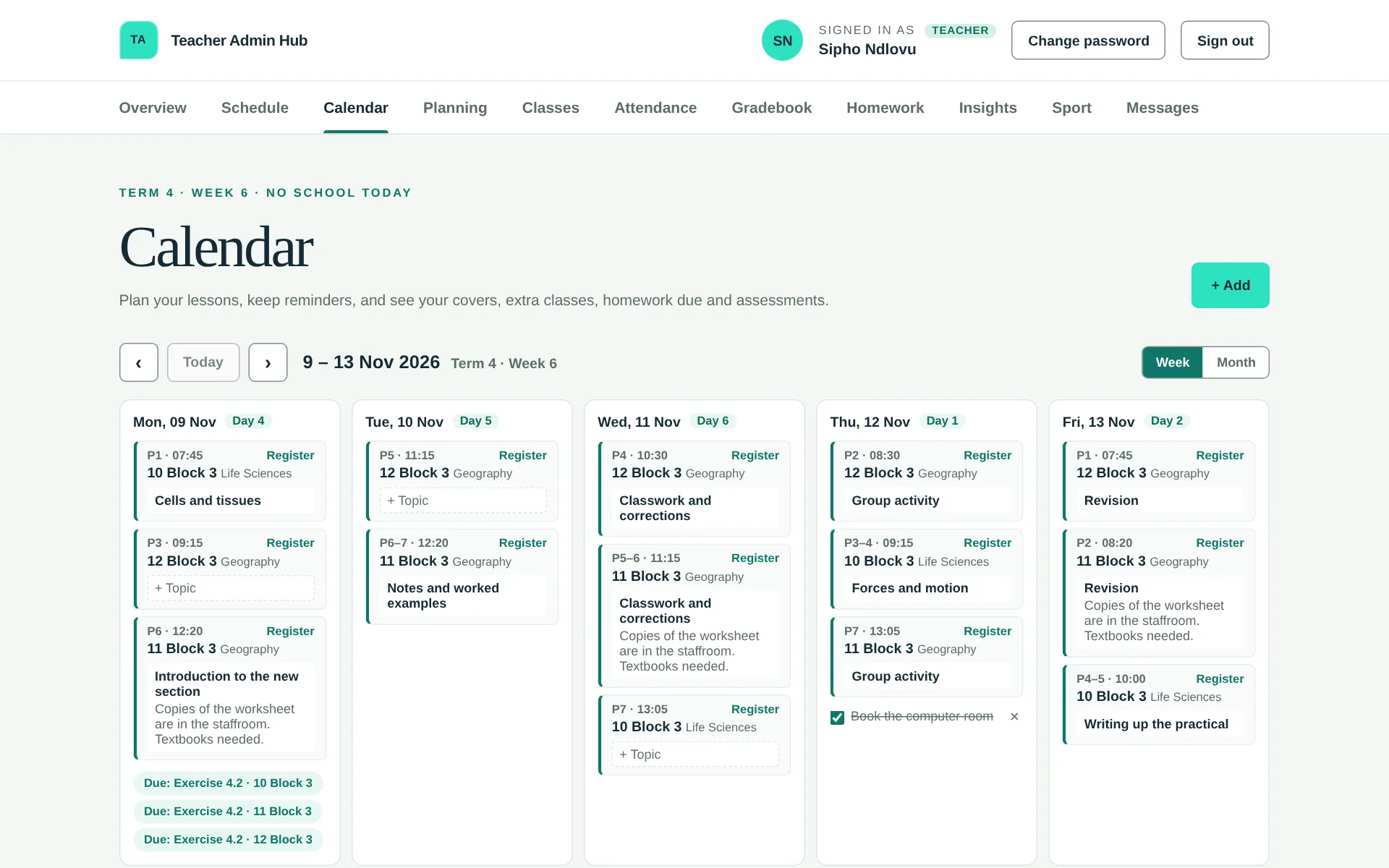
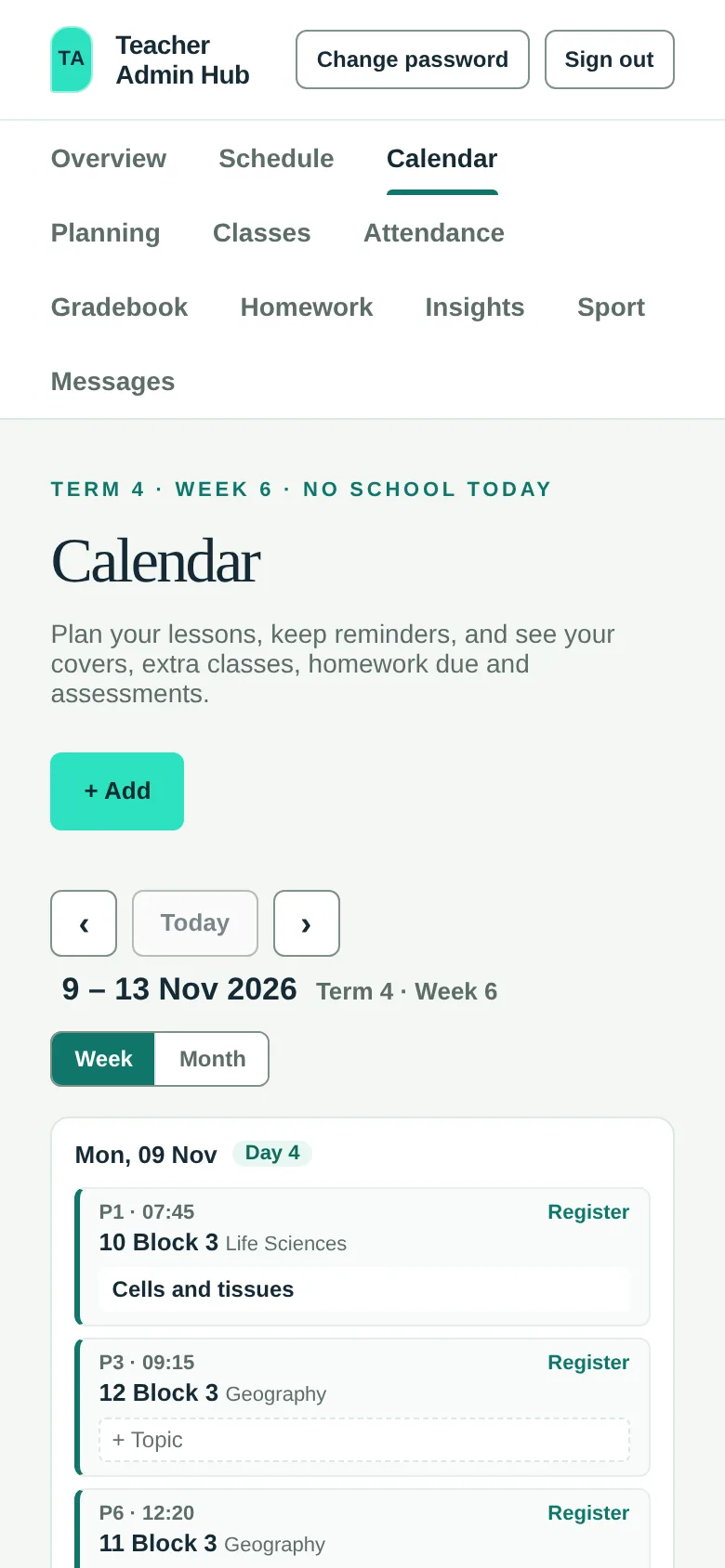
A teacher's Calendar: the week's lessons by period, with each lesson's topic and the homework due
The same Calendar on a phone

Two editions

The same screens, two ways to run them

Both editions have the same tabs for a teacher's day. They differ in who runs them and where the data lives.

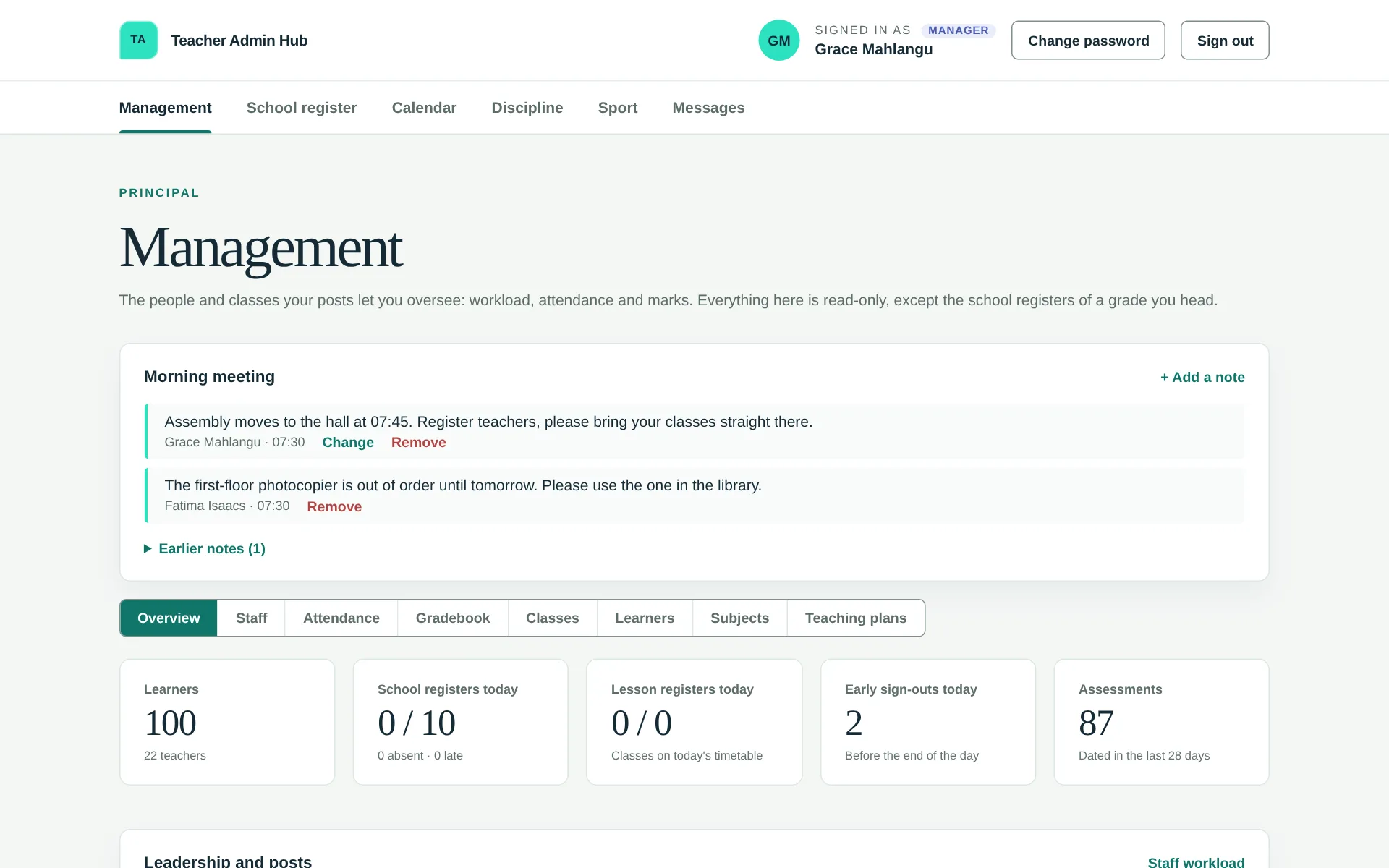
The principal's Management tab: the morning meeting's notes and the school's figures for today

Teacher Hub for schools

The whole school, on the school's own server

A school's daily workflow app for teachers, management and the office: timetable, registers, homework, comments, informal marks, covers and parent contacts. Each role has its own workspace.

  • Who decidesThe school
  • Where the data livesThe school's own server, so the school controls it
  • Who uses itThe whole staff: teachers, the principal and deputies, HODs, grade heads, coaches and the office
More about it
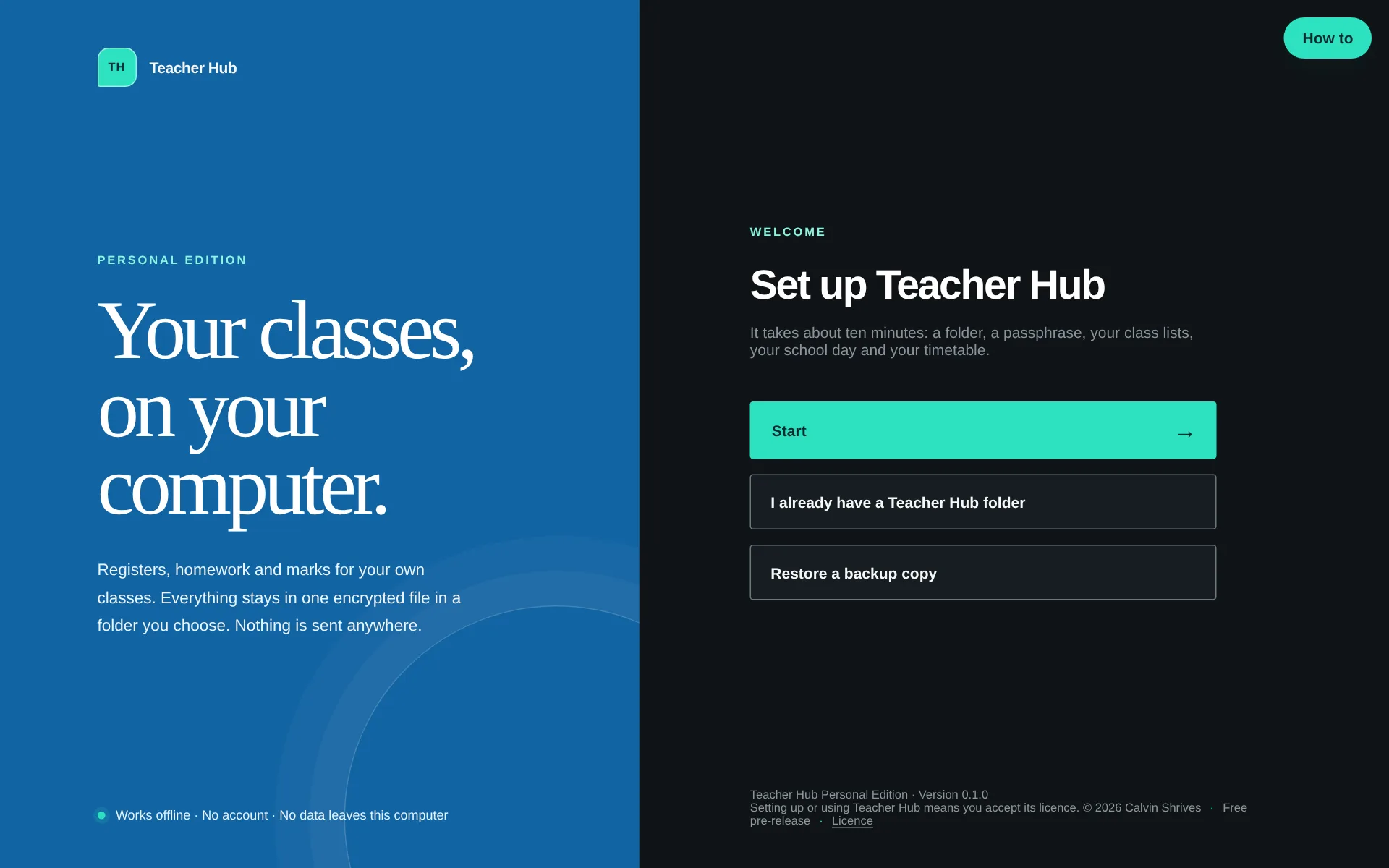
The Personal Edition's welcome screen: Your classes, on your computer

Teacher Hub Personal Edition

One teacher, one encrypted file

A teacher's daily admin (timetable, classes, registers, homework, marks) in the browser, with every learner's data in one encrypted file on the teacher's own computer. No server, no account, no data sent anywhere.

  • Who decidesThe individual teacher
  • Where the data livesOne encrypted file in a folder on the teacher's own computer
  • Who uses itOne teacher, for their own classes
More about it

A teacher's day

What a teacher does in it

The pictures are of the demo school: every name in them is made up.

Schedule and Calendar

The week at a glance, with each lesson's topic

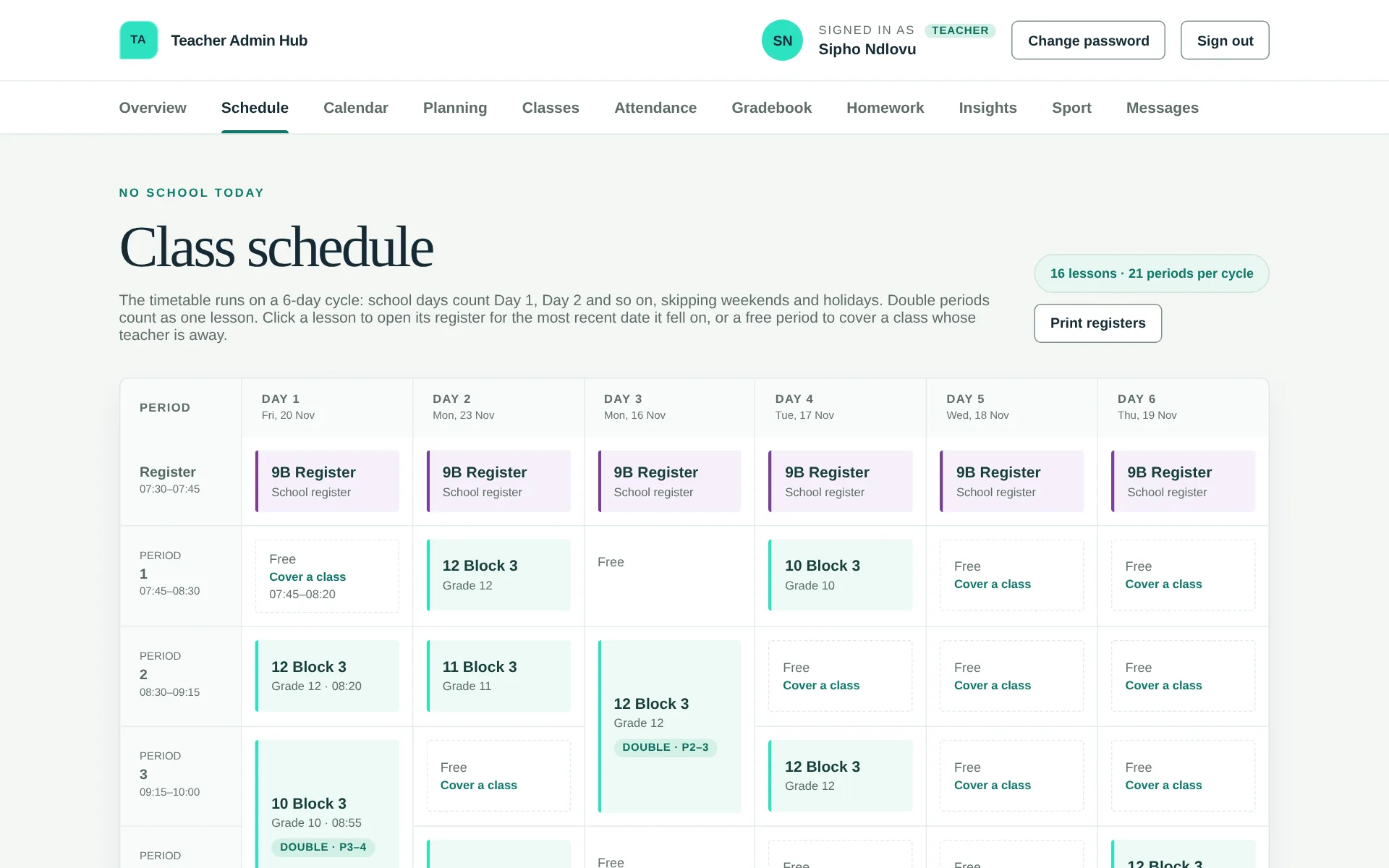
Your timetable by cycle day with that date's bell times, and a planner: each day's lessons and their topics, homework due and reminders. Plan the year by term and week on the Planning tab, with links to the CAPS documents, and its topics land on your lessons.

The Schedule: a six-day cycle of periods, each with its class and subject
Registers, homework and the Gradebook

One screen per lesson

  • Present, Absent, Late or Excused per class per day, with a comment and tags per learner.
  • Set homework for one class or a whole grade and tick it Done or Not done.
  • Capture informal marks, by totals or per question, with class averages.
  • Print registers before load-shedding and capture them afterwards.
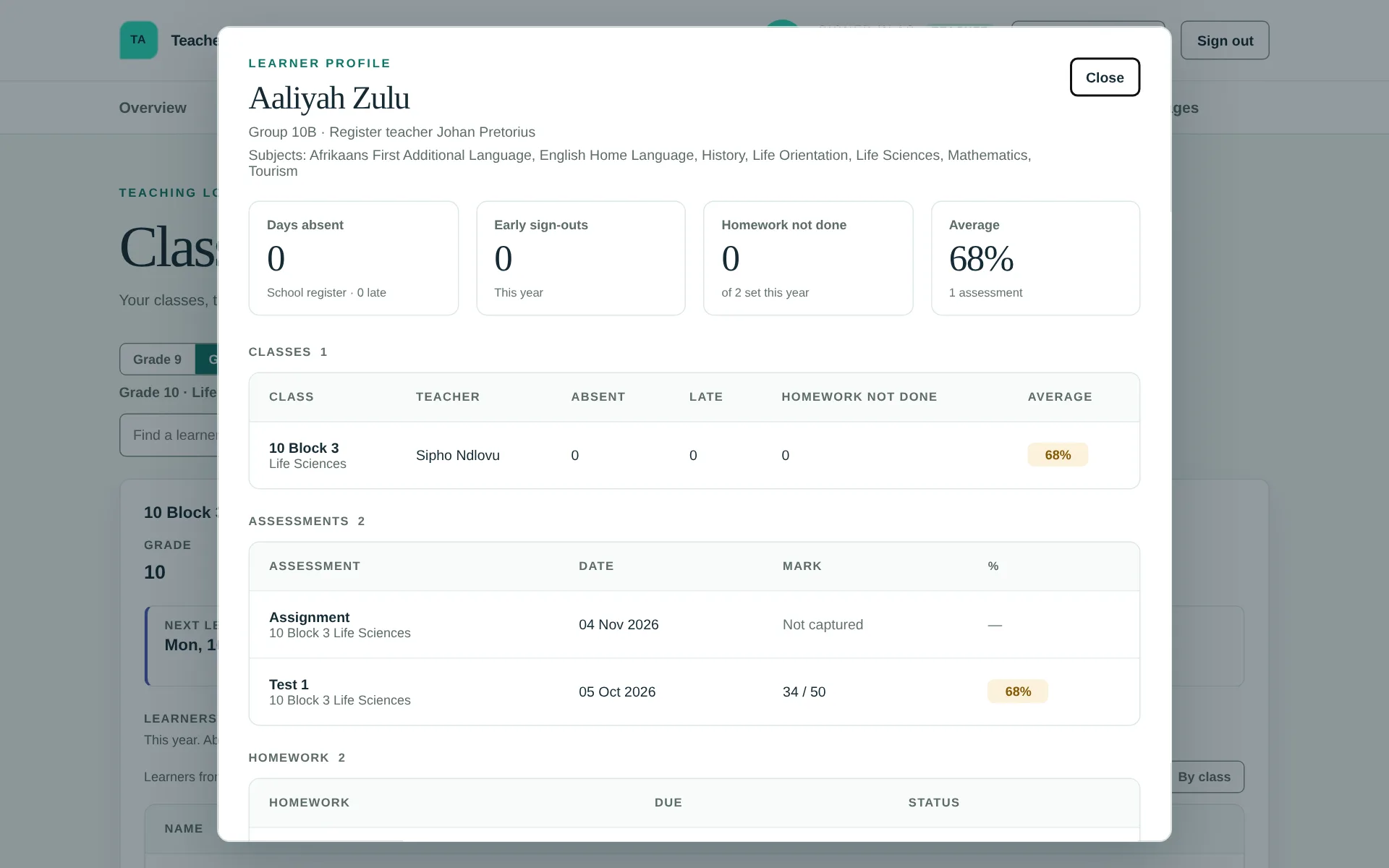
A learner's profile: days absent, early sign-outs, homework not done, average, and their classes, assessments and homework
Insights

Who needs attention, and why

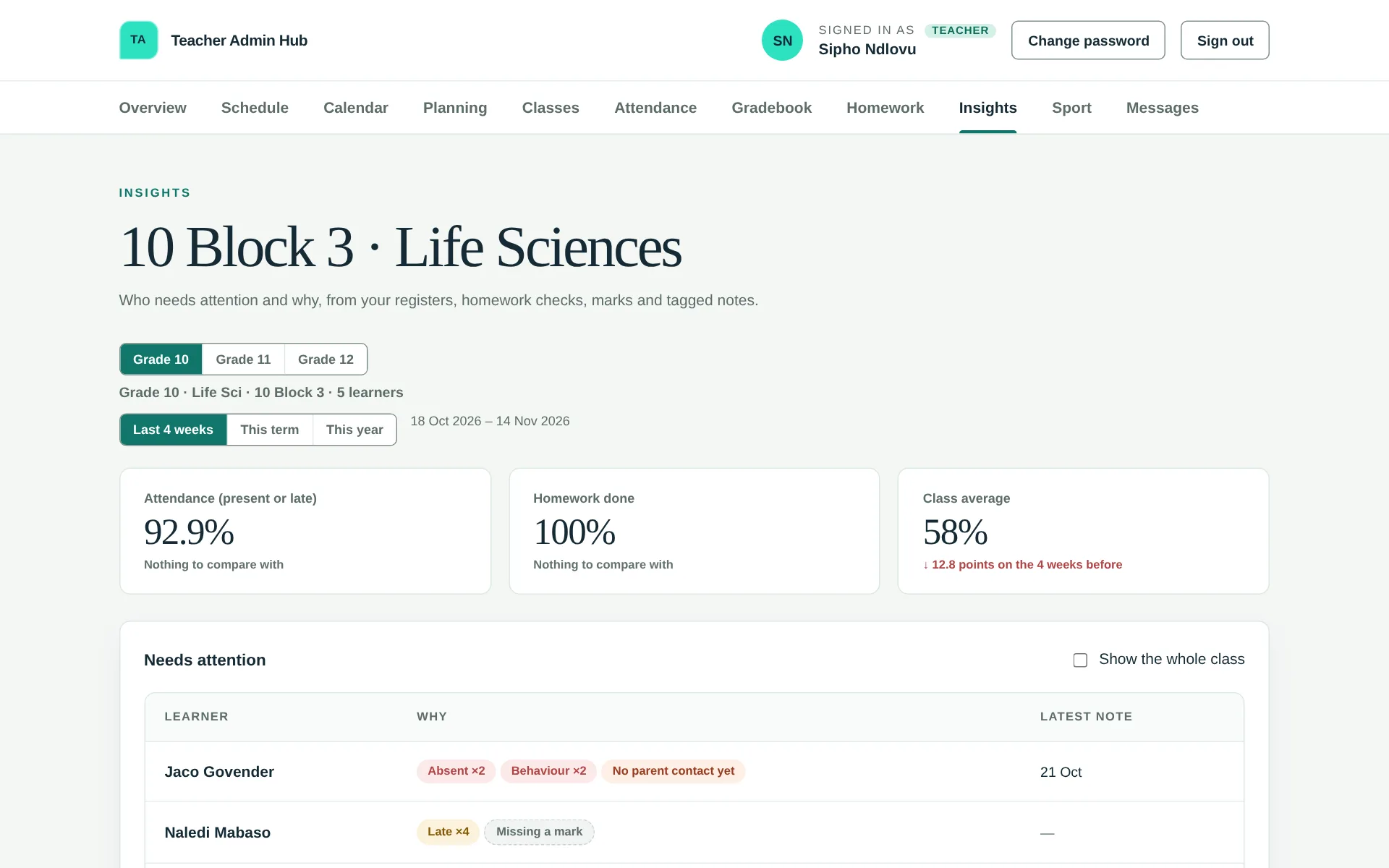
See which learners need attention and why, from your registers, homework checks, marks and tagged notes, with the attendance grid and the class's figures over the last four weeks, the term or the year.

Insights for a class: attendance, homework done and the class average, and the learners who need attention with the reasons

POPIA

Built for POPIA from the start

These are children's records. Both editions keep as little as they need, show each person only what their role allows, and keep the data where the school or the teacher controls it.

Your data stays yours

On the school's own server, or in one encrypted file on the teacher's computer.

Each role sees only its part

Enforced on the server, in the database query, not only by hiding buttons.

An audit trail

Who did what and when, with ids and counts only, never text, marks or health details.

Encrypted backups

Only the school's key opens them. The Personal Edition sends nothing anywhere.

Security and POPIA, in plain language

Free pre-release

See it for yourself

Free to use until version 1.0, which may become paid (you'll be told before that happens). It isn't installed at a school yet: if your school would like to pilot it, or you'd like to try the Personal Edition with your own classes, get in touch.